How to use the FOMO app: sign up, deposit, buy, sell (2026)
To use FOMO, sign up with an Apple ID or Google account, deposit USDC by crypto, Apple Pay, debit card or Coinbase, then search for a token and buy it. Follow other traders in the feed. To cash out, sell to your USDC balance, then withdraw to a wallet or, in the US, a bank.
- Sign up needs an Apple ID or Google account. A different login creates a new, separate account. (FOMO Help Centre)
- FOMO's help centre lists four deposit methods: crypto (USDC or USDG), Apple Pay, a debit card and Pay with Coinbase. (FOMO Help Centre)
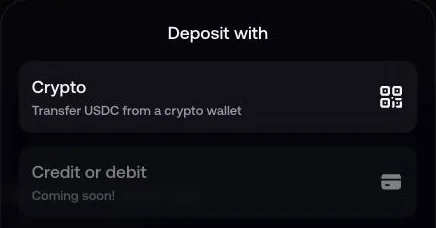
- Our capture of the FOMO web app, 23 September 2026, from an account outside the US, showed only two deposit methods: Crypto, and Credit or debit marked "Coming soon!"
- Deleting your FOMO account is permanent. Withdraw your funds or export your private key first. (FOMO Help Centre)
This guide covers every stage: account, deposit, buy, follow, sell and delete. Download FOMO only from the official app stores or fomo.family. See our download and fake-app guide before you install it.
1. How do I create a FOMO account?
Sign up for FOMO with an Apple ID or Google account. There is no seed phrase to write down.
- Sign in with Apple or GoogleOpen FOMO and choose sign up. FOMO accepts an Apple ID or a Google account only. There is no seed phrase and no lengthy verification at signup.
- Keep the same login every timeFOMO ties your wallet to the login you used to create it. A different Apple or Google account opens a new, empty FOMO account, not your first one.
- Enter a referral code, if you have oneType a code on the signup screen. FOMO has no field to add one after signup. One working code is vip10, which gives the standard 10% discount on trading fees.
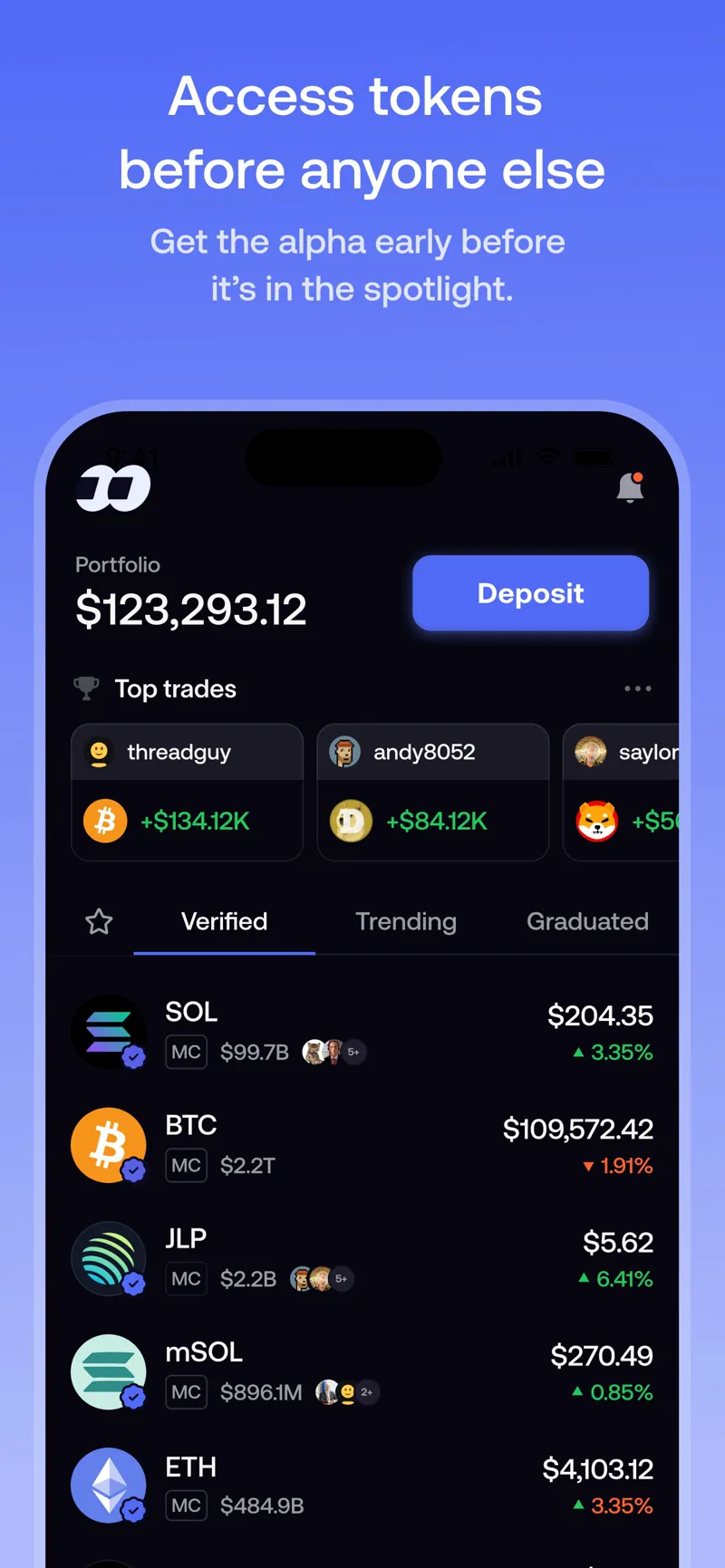
2. How do I deposit money into FOMO?
Open Deposit on your FOMO home screen. FOMO's help centre lists four methods: crypto, Apple Pay, a debit card and Pay with Coinbase.
Card deposits and Apple Pay depend on your region and device. Crypto deposits work everywhere FOMO works.
- Open Deposit and pick CryptoCrypto deposits use a separate address for each network. Solana, Base, BNB Chain, Monad and Ethereum take USDC. Robinhood Chain takes USDG, with a 0.50 USDG minimum, and it converts into your Solana USDC balance. Send to the address for the network you picked in FOMO.
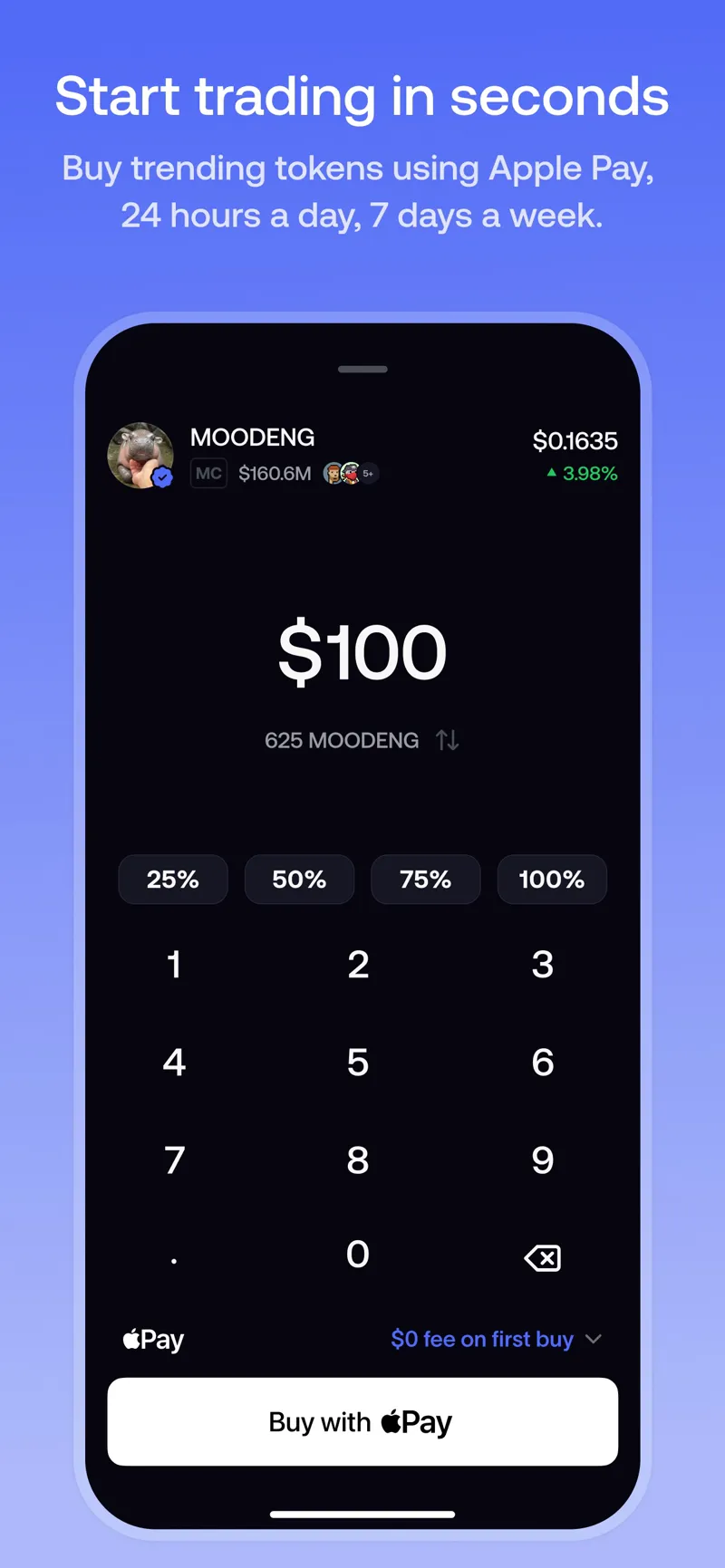
- Or pick Apple PayApple Pay does not add to your cash balance. It buys the token you choose right away.
- Or pick a debit cardA card deposit is usually ready to trade within a few minutes. FOMO accepts bank-issued debit cards only.
- Or pick Pay with CoinbaseThis option opens Coinbase if you already have a Coinbase account.
FOMO does not support Cash App, Venmo, Zelle, PayPal or Apple Cash as deposit methods. The deposit screen accepts bank-issued debit cards only.
3. How do I find and buy a token on FOMO?
Search for a token, check its label, then tap Buy. FOMO shows the fee before you confirm the trade.
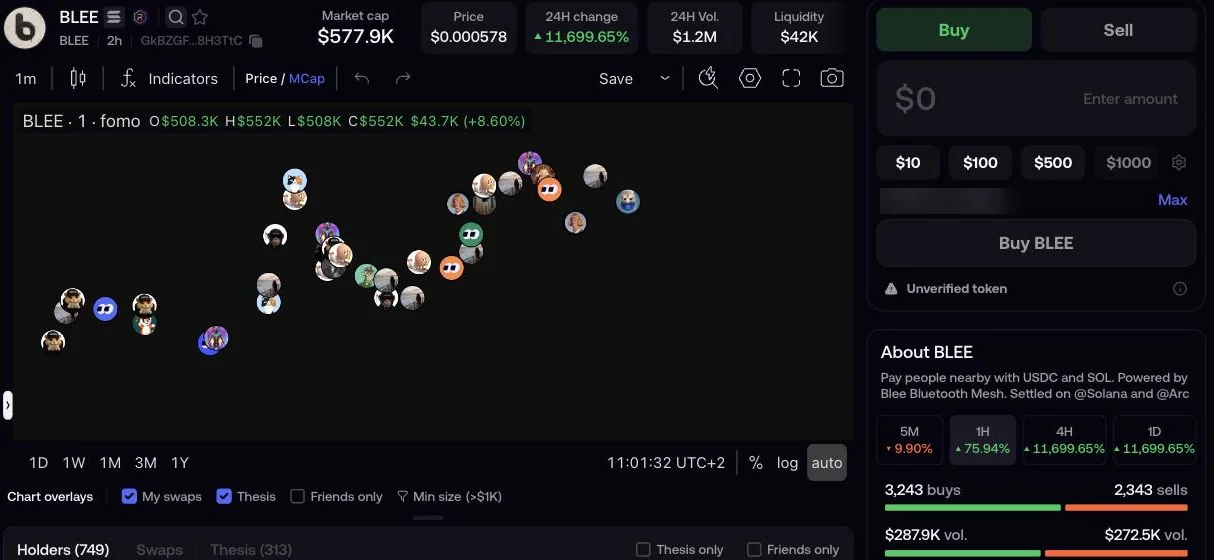
FOMO labels every token. A blue checkmark means Verified: FOMO's team reviewed the token. Unverified is the default label for a newly listed token, and FOMO shows a caution message for it.
To reach Verified, a token needs daily trading volume of at least 1,000,000 USD, a market cap of at least 5,000,000 USD, at least 1,000 unique holders, and metadata that does not copy another verified token. A verified checkmark does not guarantee the token is safe or that its price will hold.
- Search for a tokenTap the search icon and type a name or a ticker.
- Check the labelLook for the blue verified checkmark, or note an unverified or warning label, before you buy.
- Tap Buy and choose an amountIn the FOMO web app, buy presets show 10, 100, 500 and 1,000 USDC. You can also enter a custom amount.
- Review the fee, then confirmFOMO shows the fee for your trade before you confirm it.
See the full fee table for every chain and order size on our fees page.
4. How do I follow traders on FOMO?
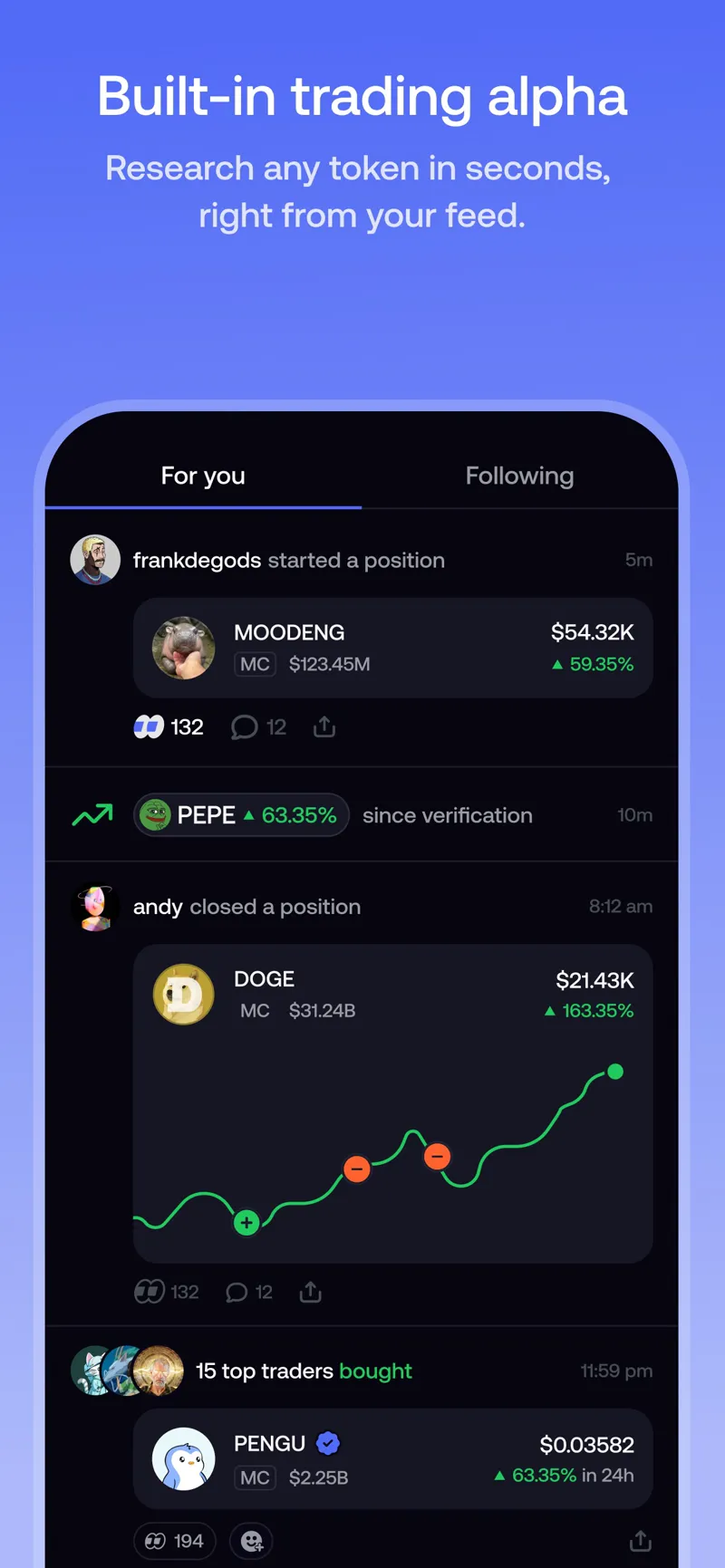
Open the social feed to see trades other users make. Follow a trader to track their activity, and check the leaderboard to see who performs best.
FOMO's help centre states that FOMO does not have a copy trading feature. Every trade is visible in the feed, and you can follow any trader, but sending funds from a trader's profile is a direct transfer, not a copy trade.
- Open the feedSee trades other FOMO users make, in real time.
- Follow a traderTap follow on a trader's profile to track their activity.
- Check the leaderboardFOMO ranks traders by actual performance.
- Trade for yourselfFOMO does not copy another trader's positions into your account. You choose and confirm every trade yourself.
Read more about the feed, the leaderboard and copy trading on our FOMO app guide.
5. How do I sell and cash out on FOMO?
Open a token you hold, tap Sell, then choose an amount. FOMO adds the proceeds to your USDC cash balance.
- Open the tokenGo to a token you hold in your portfolio.
- Tap SellChoose an amount, or choose Max to sell your full balance of that token.
- Confirm the tradeThe same fee bands apply as for a buy: 0.50% on most chains, or 0.45% with a referral code.
- Cash outThe proceeds land in your USDC cash balance. From there, withdraw to a bank in the US, or to a crypto wallet.
To move USDC out to a bank in the US, or to a crypto wallet anywhere else, see our withdraw guide.
6. How do I delete my FOMO account?
Go to Settings, then Legal and Privacy, then Delete Account. Deletion is permanent and cannot be undone.
Withdraw your funds or export your private key before you delete your account. Funds left in a deleted account become inaccessible through FOMO.
- Withdraw or export firstSell any tokens and withdraw your USDC, or export your private key, before you delete your account.
- Open SettingsGo to Settings, then Legal and Privacy.
- Tap Delete AccountConfirm the on-screen prompts.
- Know that it is permanentDeletion cannot be undone. FOMO does not restore a deleted account.
Troubleshooting: FOMO not working
FOMO has no public status page. If the app does not load, update to the latest version and check x.com/fomo for announcements.
- The app will not open. Update FOMO to the latest version, then restart your phone.
- You cannot log in. Sign in with the same Apple ID or Google account you used to sign up. A different login opens a new, empty FOMO account, not your first one.
- A deposit has not arrived. Check that you sent it on the network you picked in FOMO. Crypto deposits use a separate address for each network.
- You cannot buy or sell a token. FOMO adds a warning label to a token with signs of risk, such as a contract that blocks selling or a pool with little liquidity. Low liquidity can also make a trade fail. Read more about token risk on is FOMO legit.
- Contact support. Open Profile, then Settings, then Help and Support, then Contact Support. Or email support@fomo.family.
Questions people ask
How do I sign up for FOMO?
Open the app and choose sign up. FOMO accepts an Apple ID or a Google account only, with no seed phrase. Sign in with the same account every time. A different login opens a new, empty FOMO account, not your first one.
How do I deposit money into FOMO?
Open Deposit on your home screen. FOMO's help centre lists four methods: crypto (USDC or USDG), Apple Pay, a debit card, and Pay with Coinbase. Which methods you see depends on your region and device. FOMO does not support Cash App, Venmo, Zelle, PayPal or Apple Cash.
How do I buy a token on FOMO?
Search for a token, check its label, then tap Buy. A blue checkmark means FOMO's team verified the token. Buy presets in the web app show 10, 100, 500 and 1,000 USDC, and FOMO shows the fee before you confirm the trade.
Does FOMO have copy trading?
No. FOMO's help centre states that FOMO does not have a copy trading feature. You can follow a trader and watch their trades in the feed, and check the leaderboard, but every trade in your own account is one you choose and confirm yourself.
How do I delete my FOMO account?
Go to Settings, then Legal and Privacy, then Delete Account, and confirm the prompts. Deletion is permanent. Withdraw your funds or export your private key first, or you lose access to any tokens left in the account.
What do I do if FOMO is not working?
Update FOMO to the latest version and check x.com/fomo for announcements. FOMO has no public status page. Sign in with the same Apple or Google account you used to sign up. If the problem continues, contact support at support@fomo.family.
Sources
- FOMO Help Centre, Creating your fomo account, 23 April 2026.
- FOMO Help Centre, How to deposit funds, 7 September 2026.
- FOMO Help Centre, Can I deposit with Cash App, Venmo or PayPal?, 23 April 2026.
- FOMO Help Centre, How tokens are labeled and verified on fomo, 19 May 2026.
- FOMO Help Centre, Token verification on fomo, 7 September 2026.
- FOMO Help Centre, Does fomo have copy trading?, 19 May 2026.
- FOMO Help Centre, Deleting your account, 10 June 2026.
- FOMO Help Centre, Trading fees on fomo, 7 September 2026.
- FOMO Help Centre, How referral codes and fee discounts work, 8 September 2026.