
FOMO referral code: vip10
Enter vip10 when you sign up for FOMO and its standard 0.50% trading fee drops to 0.45%. It is the same 10% discount every code gets, and the only one FOMO pays.
FOMO pays us 25% of your fees. You pay 10% less on the 0.50% fee.
Unofficial, independent guide. Not made, run or endorsed by FOMO Labs, Inc. If you sign up with our code, FOMO pays us 25% of your trading fees. You pay nothing extra, and you pay 10% less.
The FOMO referral code is vip10. Type it on the signup screen and FOMO cuts its standard 0.50% trading fee to 0.45%. Every referral code gives the same 10% discount, and no code gives more. FOMO pays no cash bonus for a code. The person whose code you use earns 25% of your fees.
- vip10 is the referral link of a real FOMO account, captured from the app's Rewards screen on 23 September 2026.
- A referral code cuts FOMO's standard 0.50% fee to 0.45% on every trade. (FOMO Help Centre)
- You can only type a code on the signup screen. Support can attach one later if you signed up through a link and no referrer was recorded. (FOMO Help Centre)
- The person whose code you use earns 25% of your trading fees. You pay nothing extra for that. (FOMO Help Centre)
- We found 8 FOMO codes promoted online on 23 September 2026. 2 of them promise a discount FOMO does not pay.
what you get on FOMO
One app for memecoins and other tokens on six chains, with a feed of what other traders buy. The code only changes one thing: every fee at the 0.50% rate drops to 0.45%.
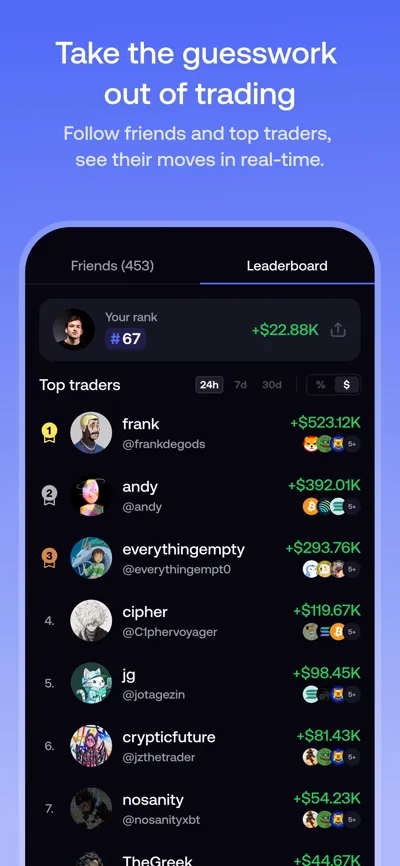
see who trades best
The leaderboard ranks traders by results. The web app shows 24-hour, 7-day, 30-day and all-time views.
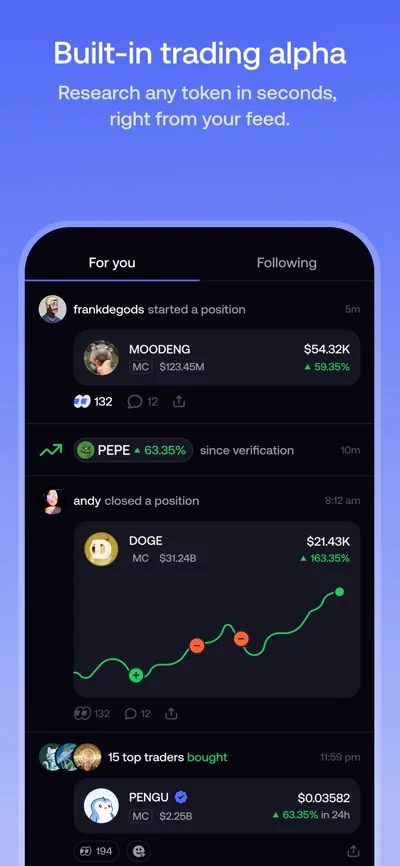
follow traders, then decide
A live feed shows every trade. FOMO has no copy trading: you place your own orders.
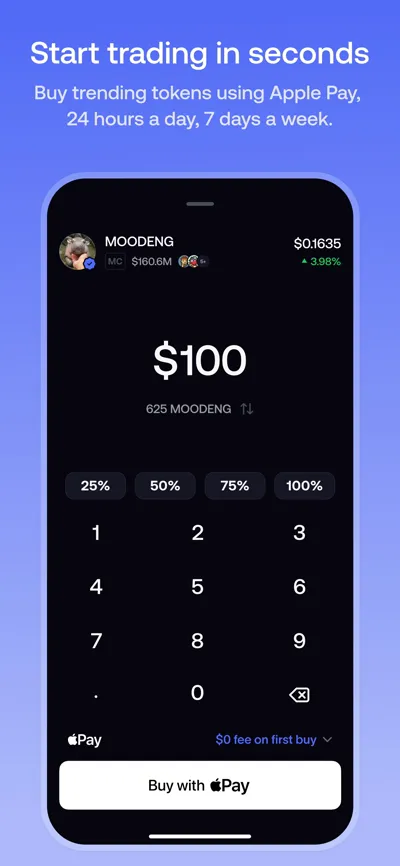
fund with USDC or Apple Pay
Buy with USDC on six chains. Apple Pay and cards depend on your region.
Screens: FOMO's own App Store images.
Proof from a real FOMO account
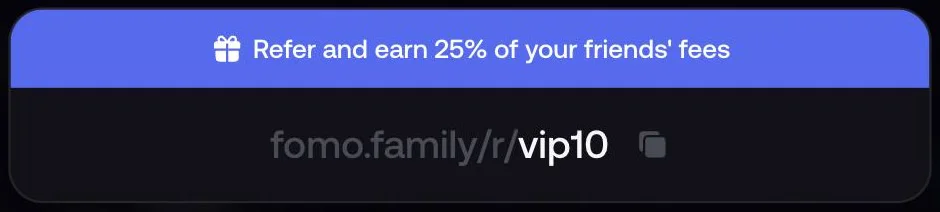
Most code pages show nothing but a code. This is the Rewards screen of the account behind vip10, captured in the FOMO web app. Balances are hidden.
- The link is the account's ownFOMO shows each user one referral link: fomo.family/r/ plus the username. This one ends in vip10.
- FOMO states the split"Refer and earn 25% of your friends' fees." You get 10% off. We get a quarter of what you still pay. How payouts work is on the affiliate program page.
- Why the landing page is not prooffomo.family/r/ shows "10% off fees" for any text, even a made-up code. A code is only real if an account owns it.
Phone screens: FOMO's own App Store images.
How to use the FOMO referral code
- Get the app from an official storeInstall FOMO from the App Store or Google Play, or open fomo.family on the web. The seller is FOMO Labs Inc.
- Enter vip10 on the signup screenSign up with Apple or Google. Type vip10 in the referral field. The page https://fomo.family/r/vip10 shows the code, but it tells you to enter the code in the app, so type it at signup.
- Fund the account and tradeAdd USDC and place a trade. The 10% discount applies to every trade automatically. There is nothing to claim.
- Check the fee lineThe fee shows before you confirm a trade. At the standard 0.50% rate, a 1,000 USDC trade costs 4.50 USDC with the code instead of 5.00.
Download links and the look-alike apps to avoid are on the download page. The full walk-through, from deposit to cash-out, is in how to use FOMO.
Already signed up without a code?
The app has no field for a referral code after signup. FOMO's help centre, updated on 8 September 2026, gives a support route for one case: you signed up through someone's link, but no referrer was recorded. Then support can attach that code to your account.
- Open support in the appProfile, then Settings, then Help and Support, then the Contact Support button at the bottom.
- Name the codeAsk to be attached to the code of the link you used. Support needs the username.
The help centre does not say what happens if you signed up with no link at all, so ask support before you count on it. A referrer that is already on your account cannot be removed. You already have the 10% discount in that case.
Every FOMO code we found online
On 23 September 2026 we collected the FOMO codes that rank in Google for code searches and wrote down what each page promises. FOMO pays one discount. So the only honest claim for any code is 10%.
FOMO codes promoted online, 23 September 2026. Hosts named, not linked.
| Code | Promoted on | What the page claims | Matches FOMO? |
|---|---|---|---|
vip10 | this site | 10% off trading fees | Yes, 10% |
crackedsol | fomobyte.com | 10% off trading fees | Yes, 10% |
gemqueenx | fomotrading.app | 10% off trading fees | Yes, 10% |
family25trade | fomofamilyapp.com | 10% off trading fees | Yes, 10% |
concept211 | fomoappguide.com | 10% off fees, permanently | Yes, 10% |
llamas | DefiLlama (FOMO listing) | a referral link, no discount stated | No claim made |
tradingfee | fomo.codes | 50% off, a 0.25% fee | No, FOMO pays 10% |
start100 | gamma.app | up to 100% off trading fees | No, FOMO pays 10% |
Any code that belongs to a real account gives you the same 10%. Pick the code of someone you trust, or use ours. The only difference is who earns 25% of your fees.
What 10% off saves you
FOMO charges 0.50% on Base, BNB Chain, Monad, Ethereum and Robinhood Chain, and on Solana orders of 190 USDC or more. The code takes that to 0.45%.
FOMO fee per trade at the 0.50% rate, with and without a referral code.
| Trade size | Fee without code | Fee with vip10 | You save |
|---|---|---|---|
| 200 USDC | 1.00 | 0.90 | 0.10 |
| 500 USDC | 2.50 | 2.25 | 0.25 |
| 1,000 USDC | 5.00 | 4.50 | 0.50 |
| 5,000 USDC | 25.00 | 22.50 | 2.50 |
Small Solana orders work differently. Under 190 USDC FOMO charges a flat 0.10 or 0.95 USDC, or 2% between 5 and 47.50 USDC. FOMO documents the discount against the 0.50% rate only. Our fee guide has every band and a calculator.
What the code does not do
- No cash bonus. FOMO pays no sign-up money for a code. The fee discount is the reward.
- No bigger discount. No code, tier or link gives more than 10% off.
- No protection from losses. A lower fee does not change the risk of memecoins. Most traders lose money. Read is FOMO legit before you deposit.
everything about FOMO, checked
Each guide answers one question with FOMO's own numbers and links to the source.

is FOMO legit?
Who runs FOMO, who holds your keys, what the September 2026 malware story is really about, and our scored review of the app.
Who runs FOMO, who holds your money, what the complaints say, and our scored review of the app.
Read →What is FOMO?What the FOMO app is, how it works, which chains it trades, and who it suits.
Read →DownloadThe official FOMO download links for iPhone, Android and web, and the look-alike apps that are not FOMO.
Read →FeesFOMO's fee bands per order size and chain, the real average rate, and a calculator.
Read →How to use FOMOSign up, fund, buy, sell and cash out on FOMO, step by step with screenshots.
Read →WithdrawHow to withdraw from FOMO to a wallet or a bank, how long it takes and what it costs.
Read →Affiliate programHow FOMO's referral and affiliate programme pays: 25% of fees, when it pays, and the rules.
Read →FOMO vs AxiomFOMO against Axiom on fees by order size, how the apps differ, and who each one suits.
Read →FOMO walletWhat wallet FOMO uses, who holds the keys, how to find your address and how to export it.
Read →Copy trading?Does FOMO have copy trading? What the feed, follow and leaderboard really do, and what they do not.
Read →FOMO in tradingWhat FOMO means in trading, why fear of missing out costs traders money, and how to trade without it.
Read →Where FOMO worksThe countries FOMO blocks, what US, UK and Canadian users cannot use, and what VPN use risks.
Read →Questions people ask
Is vip10 a working FOMO referral code?
Yes. vip10 is the referral link of a real FOMO account. The account's Rewards screen shows the link fomo.family/r/vip10 and "Refer and earn 25% of your friends' fees". We captured it on 23 September 2026.
Which FOMO referral code gives the biggest discount?
None. FOMO's help centre documents one discount for every referral code: 10% off trading fees, which turns the 0.50% rate into 0.45%. FOMO's own landing page shows the same 10% for every code. Pages that promise 25%, 50% or 100% off are wrong.
Is there a FOMO promo code or coupon code?
FOMO's help centre describes no promo or coupon system. The referral code is the only code FOMO accepts at signup, so searches for a FOMO promo code, invite code or discount code all lead to the same field and the same 10%.
Does FOMO give a sign-up bonus?
No cash bonus. The referral discount is the documented reward. FOMO's App Store screenshots also advertise "$0 fee on first buy". The help centre does not describe that offer, so check the fee line on your first buy.
Can I add a referral code after I sign up?
There is no field for it in the app. FOMO's help centre says support can attach a code if you signed up through someone's link and no referrer was recorded. Open Profile, Settings, Help and Support, then Contact Support.
Is this FOMO's official website?
No. fomofamily.discount is an unofficial, independent guide. FOMO's official site is fomo.family and its help centre is help.fomo.family.
Sources
- FOMO Help Centre, How referral codes and fee discounts work, 8 September 2026.
- FOMO Help Centre, Trading fees on fomo, 7 September 2026.
- FOMO, Affiliates.
- Apple App Store, fomo: never miss out (FOMO Labs Inc.).
- Google Play, fomo (family.fomo.app).
Read next
Is FOMO legit? Review
Who runs FOMO, who holds your money, what the complaints say, and our scored review of the app.
Read →Fees
FOMO's fee bands per order size and chain, the real average rate, and a calculator.
Read →Download
The official FOMO download links for iPhone, Android and web, and the look-alike apps that are not FOMO.
Read →